
Previously, our feature post Hidden Blue WhatsApp Features Few Users Know About explored dozens of overlooked secret customization tools built into Blue WhatsApp’s ecosystem. Now we zoom in on one of its most visually satisfying advanced functions to pair with modern Android design standards. Android 15 and 16 take visual personalization to new heights with dynamic colors android. Google’s Material You system that generates cohesive color palettes from your wallpaper or chosen accent color. For messaging enthusiasts, achieving a unified look across your device means syncing your favorite communication app with this system-wide theme. Blue WhatsApp 2026 offers unmatched customization capabilities, allowing you to input precise Hex color codes to create blue whatsapp themes that perfectly align with Material You’s dynamic palette. In this guide, we’ll show you how to master this integration for a seamless Android experience.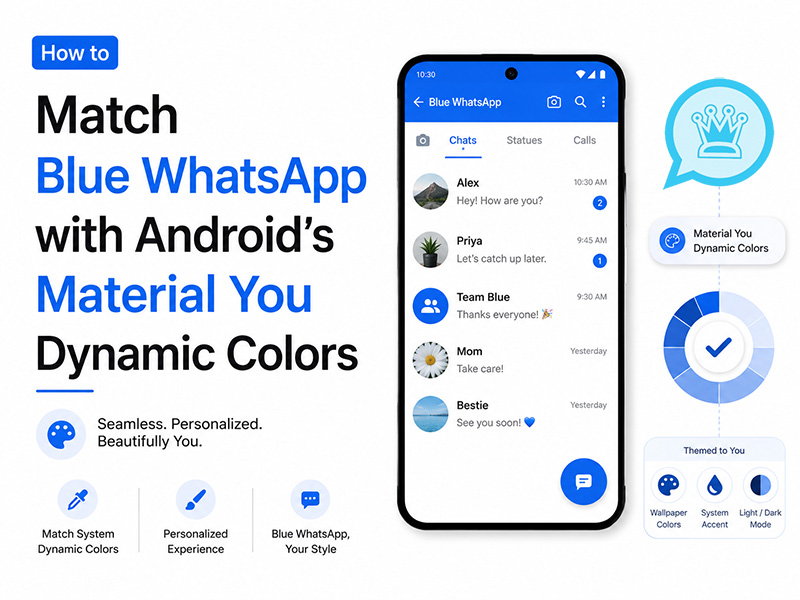
Understanding Android‘s Material You Dynamic Color System
Material You revolutionizes personalization by:
- Extracting Source Colors: Analyzing your wallpaper to identify dominant, secondary, and accent hues
- Generating Palettes: Creating 65+ color variants across tonal ranges
- Theme Styles: Offering four distinct algorithms for different moods:
- TONAL_SPOT: Balanced, professional contrast
- VIBRANT: Bold, saturated colors for high energy
- EXPRESSIVE: Dramatic, high-contrast combinations
- SPRITZ: Soft, muted tones for minimalists
- System-Wide Application: Automatically styling supported apps, widgets, and system UI
To view your current Material You palette: Go to Settings > Wallpaper & style > Color palette on Android 15/16. Note the Hex codes of your primary accent, secondary, and neutral colors. We’ll use these later!
Blue WhatsApp 2026: The Ultimate Customization Tool
WhatsApp Blue Apk stands out from standard WhatsApp with its comprehensive theme editor that allows:
| Customization Level | Features |
| Element-Specific Editing | Change header, chat background, message bubbles, text, and icon colors individually |
| Hex Code Input | Precisely define colors using 6-digit Hex values for pixel-perfect matching |
| Dark/Light Modes | Create separate themes for day and night with automatic switching |
| 30+ Bubble Styles | Choose from various chat bubble shapes and tick styles |
| Real-Time Preview | See changes instantly before applying |
Access the advanced theme editor: Open Blue WhatsApp → Settings > Themes > Custom Theme > Advanced Color Editor
Step-by-Step: Matching Blue WhatsApp with Material You
Follow these simple steps to create blue whatsapp themes that harmonize with your Android 15/16 device:
Step 1: Extract Your System‘s Dynamic Color Palette
- Open Android Settings → Wallpaper & style → Color palette
- Note the Hex codes for:
- Primary accent color: the most prominent color in your palette
- Secondary accent color: complementary tone
- Neutral 1 (light background) and Neutral 9 (dark text)
- On-Primary: text color for primary backgrounds
- For precise values, use a color picker app like Material Color Picker to sample system UI elements
Step 2: Access Blue WhatsApp‘s Advanced Color Editor
- Launch Blue WhatsApp 2026
- Go to Settings → Themes → Custom Theme
- Tap the Hex Code icon to open the advanced editor
- Select Create New Theme and name it something like “Material You Sync”
Step 3: Map System Colors to Blue WhatsApp Elements
Use this table to assign your system’s dynamic colors to Blue WhatsApp UI components:
| Blue WhatsApp Element | Material You Color Role | Hex Code Example |
| App Header Background | Primary Accent | #6750A4 (Material Purple) |
| Header Text/Icon Color | On-Primary | #FFFFFF (White) |
| Chat Background | Neutral 1 (Light) / Neutral 9 (Dark) | #FFFBFE (Light) / #1C1B1F (Dark) |
| Sent Message Bubbles | Primary Accent (50% opacity) | #6750A480 |
| Received Message Bubbles | Secondary Accent (40% opacity) | #387ADF66 |
| Message Text | On-Bubble (Contrast Color) | #1C1B1F (Dark) / #FFFBFE (Light) |
| Timestamp Color | Neutral 5 (Medium Gray) | #79747E |
| Icon Tint | Primary Accent | #6750A4 |
Step 4: Test and Refine for Readability
- Tap Preview to see your theme in action
- Adjust opacity levels (add 2-digit Hex suffix: 80 = 50%, 66 = 40%) if text is hard to read
- Ensure contrast ratios meet WCAG standards (minimum 4.5:1 for text)
- Save your theme and set it as default
4 Perfect Material You Color Schemes for Blue WhatsApp
We’ve designed these ready-to-use blue whatsapp themes to match popular Material You styles. Simply copy the Hex codes into Blue WhatsApp’s advanced editor:
1. Tonal Spot– Best for Productivity
Matches Android’s default dynamic theme style.
| Element | Hex Code |
| Header Background | #4F46E5 (Vibrant Blue) |
| Header Text | #FFFFFF |
| Chat Background | #F8FAFC (Light) / #1E293B (Dark) |
| Sent Bubbles | #4F46E580 |
| Received Bubbles | #38BDF866 |
| Text Color | #1E293B (Light) / #F8FAFC (Dark) |
| Timestamp | #64748B |
2. Vibrant– Best for Social Creators
Ideal for users who want their messaging app to stand out.
| Element | Hex Code |
| Header Background | #10B981 (Emerald Green) |
| Header Text | #FFFFFF |
| Chat Background | #ECFDF5 (Light) / #0F172A (Dark) |
| Sent Bubbles | #10B98190 |
| Received Bubbles | #3B82F670 |
| Text Color | #0F172A (Light) / #ECFDF5 (Dark) |
| Timestamp | #64748B |
3. Expressive– Best for Night Mode Lovers
Creates striking visual hierarchy with deep blues.
| Element | Hex Code |
| Header Background | #6366F1 (Indigo) |
| Header Text | #FFFFFF |
| Chat Background | #111827 (Dark Only) |
| Sent Bubbles | #6366F1A0 |
| Received Bubbles | #8B5CF680 |
| Text Color | #F9FAFB |
| Timestamp | #9CA3AF |
4. Spritz– Best for Calm Communication
Muted tones that reduce eye strain.
| Element | Hex Code |
| Header Background | #0EA5E9 (Sky Blue) |
| Header Text | #FFFFFF |
| Chat Background | #F0F9FF (Light) / #0C4A6E (Dark) |
| Sent Bubbles | #0EA5E970 |
| Received Bubbles | #7DD3FC60 |
| Text Color | #0F172A (Light) / #E0F2FE (Dark) |
| Timestamp | #64748B |
Pro Tips for Perfect Material You Integration
- Auto-Sync with Wallpaper Changes: Use apps like Material Theme Sync to automatically update your Blue WhatsApp theme when you change your wallpaper
- Preserve Brand Identity: Keep Blue WhatsApp’s signature blue tones in at least one element for brand recognition
- Test Across Modes: Verify your theme looks great in both light and dark modes. Blue WhatsApp’s dual-theme support makes this easy
- Backup Your Themes: Export your custom Material You themes to share with friends or restore after updates
- Stay Updated: Use the latestwhatsapp blue apk to ensure compatibility with Android 15/16’s newest dynamic color features
Getting Started with Blue WhatsApp 2026
To unlock these advanced customization features:
- Download the whatsapp blue apk from our website
- Install the app and verify your phone number
- Navigate to Settings > Themes to access the customization options
- Use the Hex code editor to create your perfect Material You-matched theme
Remember: Blue WhatsApp 2026 is the only version with full Hex code support for precise dynamic colors android matching; older versions lack this advanced functionality.
Final Thoughts
Matching Blue WhatsApp 2026 with Android’s Material You dynamic colors isn’t just about aesthetics; it’s about creating a cohesive digital environment that feels personal and intentional. With the power of Hex code customization, you can ensure your messaging app doesn’t just coexist with your system theme, but enhances it.
Whether you prefer the balanced professionalism of Tonal Spot, the bold energy of Vibrant, the dramatic contrast of Expressive, or the soft minimalism of Spritz, blue whatsapp themes let you express your unique style while maintaining visual harmony across your Android 15/16 device.
Ready to transform your messaging experience? Download Blue WhatsApp 2026 today and start creating your perfect Material You-matched theme!


