
If you frequently use Blue WhatsApp, you may have noticed a small clock icon next to your messages. This WhatsApp clock icon often confuses many users, as many wonder if there’s a problem with the app, messages, or network connection when they see this icon.
The clock icon is one of the most common message status indicators in Blue WhatsApp. Understanding its meaning can help you understand what’s happening in the background and whether any action needs to be taken.
We have shared the methods for moving your Blue WhatsApp data to a new Android device. In this guide, we will explain the meaning of the clock icon, why it appears, how long it usually lasts, and what you can do when messages seem to be stuck.
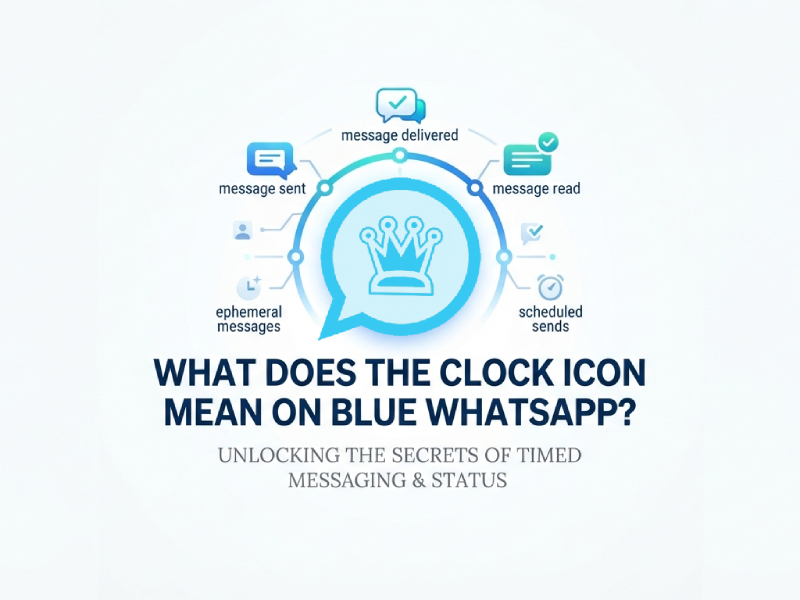
Understanding Message Status Icons in Blue WhatsApp
The blue WhatsApp uses multiple message status icons to show the progress of a message after it has been sent. These indicators help users understand whether a message is still being processed, has arrived at the server, has been delivered to the recipient, or has been read, and in some cases, they can even resemble a countdown timer for whatsapp experience when users are waiting for delivery confirmation to update.
These small icons are easily overlooked by many users. However, they provide useful information about what happens during message processing. By understanding each status icon, you can quickly identify whether a message is pending, successfully sent, or delivered.
The icon next to a message will automatically change as the message goes through different stages. This visualization system allows users to monitor message activity without having to open additional menus or view detailed information.
Some of the most common status indicators in Blue WhatsApp include:
- Clock icon
- Single check mark
- Double check marks
- Read receipt indicators
Each symbol represents a specific stage in the message passing process. Typically, the message passing process begins with a clock icon, indicating that a message is waiting to be sent. Once the message arrives at the server, the icon will change to a single checkmark. Once the recipient receives the message, the icon will change to two checkmarks. If read receipts are enabled, another indicator may also appear to show that the recipient has opened and viewed the message.
What Does the Clock Icon Mean
The clock icon indicates that your message is still waiting to be sent.
Simply put, the message has been created and stored on your device, but has not yet reached the server. Before the sending process begins successfully, a clock icon will appear on the blue WhatsApp screen.
The message will remain in a pending state until the application is able to establish the correct connection and transmit the data.
This is usually temporary and will generally resolve itself automatically within a short period of time.
Why Does the Clock Icon Appear
Several situations can cause the clock icon to appear.
1. Weak Internet Connection
Slow or unstable network speeds are one of the most common causes of this problem.
If your device temporarily loses its internet connection, Blue WhatsApp may not be able to send messages immediately. The app will hold the messages in a queue and display a clock icon until the network connection is restored.
2. Switching Between Networks
Communication may be briefly interrupted when switching from Wi-Fi to mobile data or switching networks.
During this switchover, messages may remain in a pending state for a few seconds or minutes.
3. Background Synchronization Delay
Sometimes applications need some time to synchronize data in the background.
This can happen after opening the app, reconnecting to the internet, or resuming a previous session.
4. Large Media Files
Photos, videos, and documents generally require more time to upload than text messages.
If you send a large file, the clock icon may stay visible while the upload process is being prepared.
5. Temporary Server Communication Delay
Sometimes, communication between an application and a message server can take longer than usual.
When this happens, the message may be briefly put into a pending state before transmission resumes normally.
How Long Does the Clock Icon Stay Visible
The time displayed on the clock icon depends on a variety of factors, including your network connection, the type of messages sent, and the speed of communication between the application and the server; when users observe the clock on WhatsApp, it usually reflects these underlying delays rather than a fixed timing issue.
For most text messages, the clock icon will only be displayed for a few seconds. Once Blue WhatsApp establishes a stable connection and starts sending messages, the icon will change to a checkmark. In many cases, users may hardly notice the clock icon because the change happens very quickly.
In some cases, the icon may be displayed for a longer period of time. For example, if you are sending a high-resolution photo, a long video, or a large document, Blue WhatsApp may need extra time to prepare and upload the file.
It’s perfectly normal for the clock icon to display briefly; it simply reflects the first stage of the message sending process. Once the application successfully starts sending messages, the status will automatically update to the next sending indicator. The exact duration varies depending on the situation, but under normal circumstances, most messages will quickly pass through the clock icon display phase.
Clock Icon vs Single Check Mark
Many users confuse these two indicators.
Here is the difference:
| Icon | Meaning |
| Clock Icon | The message is waiting to be sent |
| Single Check Mark | The message has been sent successfully |
| Double Check Marks | The message has been delivered |
| Read Indicator | The message has been opened and viewed |
The key point is that the clock icon appears before the first check mark.
It represents the earliest stage of message delivery.
What Happens When the Clock Icon Disappears
Once Blue WhatsApp successfully processes the message, the clock icon changes to the next status indicator.
The progression usually follows this sequence:
- Clock icon appears.
- Single check mark appears.
- Double check marks appear.
- Read indicator appears.
This sequence allows users to monitor the entire delivery process from start to finish.
How to Reduce Delays When Sending Messages
While clock icons are usually temporary, there are several ways to help speed up message sending. Developing some simple habits can improve efficiency and reduce waiting time.
Keep Your Internet Connection Stable
A stable network connection is the most important factor in ensuring that information is delivered quickly. If the signal is weak or there are frequent disconnections, the message may take longer to arrive. Therefore, please use a stable Wi-Fi network whenever possible, or ensure a stable mobile data signal before sending important information.
Switch Between Wi-Fi and Mobile Data
Sometimes, a particular network may experience a temporary slowdown. If a message remains pending for an extended period, try switching from Wi-Fi to mobile data, or vice versa. This usually refreshes the connection, allowing messages to be sent immediately.
Update Blue WhatsApp Regularly
Developers frequently release updates to improve speed, compatibility, and overall performance. Running the latest version of Blue WhatsApp can help reduce sync issues and improve messaging efficiency.
Restart the Application
If the message remains on the clock icon, closing and reopening the app will refresh the background service and reconnect to the message server. This simple step can usually resolve temporary communication delays.
Clear Unnecessary Cached Data
Over time, instant messaging applications accumulate cache files, which can impact application performance. Clearing unnecessary cache files can help applications run more smoothly and respond faster when sending messages.
Maintain Available Device Storage
Insufficient storage space can slow down many functions of a smartphone, including instant messaging applications. Having sufficient available storage space allows Blue WhatsApp to handle outgoing messages, media uploads, and background tasks more efficiently.
Avoid Running Too Many Apps Simultaneously
When multiple applications are using network resources in the background, message sending speed may be affected. Closing unnecessary applications can free up memory and bandwidth, helping Blue WhatsApp send messages faster.
By following these simple steps, users can minimize message latency and enjoy a smoother messaging experience. In most cases, the clock icon will disappear quickly once the network connection is stable and the application resumes normal operation.
Frequently Asked Questions
1. Is the Clock Icon Normal?
Yes, this is a normal part of the message transmission process and usually disappears automatically.
2. Can Recipients See the Clock Icon?
No. The clock icon is visible only on the sender’s device while the message is pending.
3. Does the Clock Icon Mean Someone Blocked Me?
No. The clock icon simply indicates that the message has not yet been sent from your device.
4. Why Does the Clock Icon Stay for Videos Longer Than Text Messages?
Video files contain significantly more data and often require additional upload time before transmission begins.
Final Thoughts
The blue clock icon in WhatsApp is a message status indicator, showing that a message is waiting to be sent. It typically appears when an application is preparing to transmit data within the whatsapp icon interface and disappears after the sending process has successfully started.
In most cases, the clock icon is temporary and perfectly normal. Understanding its purpose will help you track message sending progress and distinguish between messages to be sent and messages that have already been sent.
The next time you see the clock icon in blue WhatsApp, you’ll know that a message is waiting to be sent.


